Every hiring team eventually has the same argument: what does this stage actually mean? One recruiter moves a candidate to "Interview" when the invite goes out; another waits until the interview happens. The board stops reflecting reality, and people start asking for status updates in chat again.
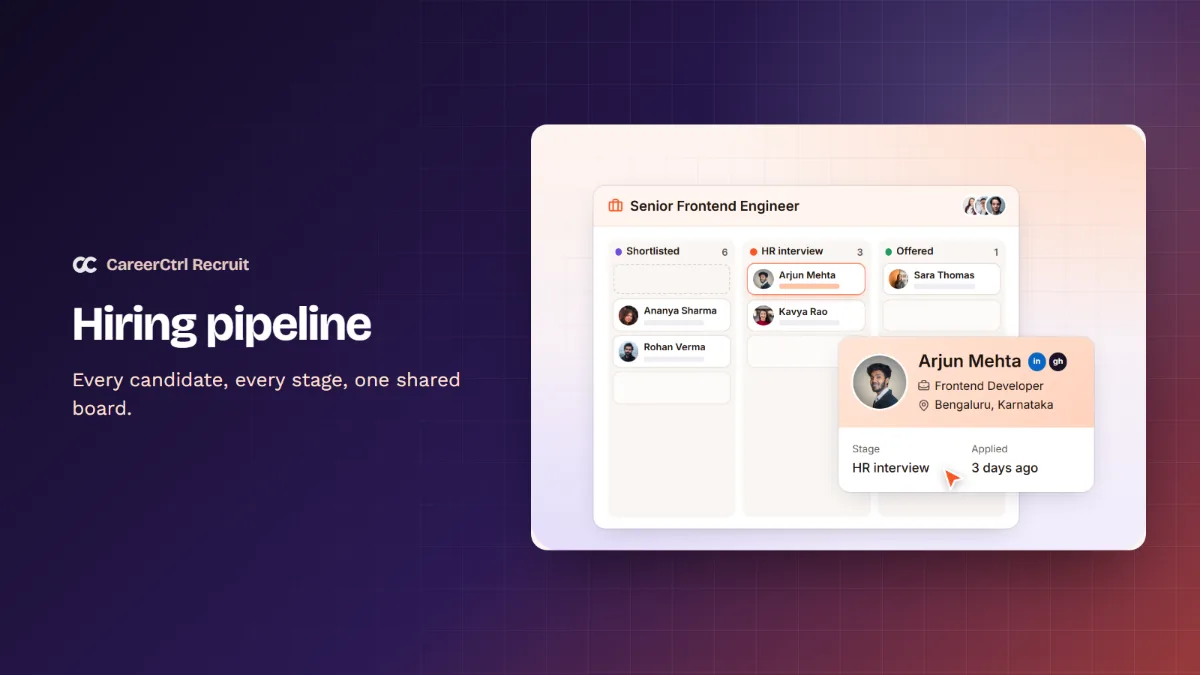
CareerCtrl Recruit uses a fixed set of stages for every job. That can feel restrictive at first, but it means a stage means the same thing on every job, for every recruiter, in every report. Here is what each stage is for and how to keep the board honest.
The eight stages
- New candidates: everyone who has applied or been added to the job and not yet reviewed.
- Shortlisted: reviewed and worth pursuing. This is your first real decision.
- Submitted: put forward to the hiring manager or, for agencies, sent to the client.
- Scheduling interview: you are arranging a time. The candidate is waiting on you.
- HR interview: the first conversation, usually on motivation, notice period and expectations.
- Final interview: the decision round with the hiring manager or panel.
- Offered: an offer has been made and you are waiting for an answer.
- Hired: the offer is accepted.
Not every job uses every stage. An in-house team hiring for its own department may skip Submitted; a walk-in drive may go straight from Shortlisted to a single interview. That is fine. Skipping a stage is clearer than inventing a new one.
Dropping candidates, with a reason
Most candidates do not get hired, and how you record that matters. In Recruit, you drop a candidate with a reason rather than deleting them or leaving them stuck in a stage. Reasons might be skills mismatch, salary expectations, notice period, or the candidate withdrawing.
Two things follow from this. Your pipeline counts stay accurate, because dropped candidates leave the active stages. And the Drop-off reasons report can show you patterns: if half your drops at HR interview are about salary, the problem is the budget or the job post, not the candidates.
Rules that keep the board accurate
- Move a candidate when the fact changes, not when you intend to act. Scheduling interview means you are arranging it; HR interview means it is booked or done.
- Review New candidates at least every two working days. A long New column usually means good people are waiting.
- Use bulk actions for batches. Select several candidates to move, drop or email them in one go after a screening session.
- Leave a note on the candidate's profile when you make a judgement call, so the next person does not have to ask.
Who sees what
A pipeline is only useful if the right people can see it. Assign a hiring team to each job so recruiters and interviewers are notified when a candidate's status changes. For wider control, Recruit lets admins create custom roles with View, Manage or Delete permissions for areas such as candidates, jobs, interviews and reports. An interviewer can see the candidates they need without being able to change a job's settings.
Job status is part of the pipeline too
Jobs themselves move between Draft, Open, Paused and Closed. Pausing a job when the hiring manager is travelling, rather than leaving it open, tells the whole team to stop adding candidates and keeps your time-to-hire numbers meaningful.
What a clean pipeline gives you
When stages mean the same thing everywhere, reports start to answer real questions. The Hiring funnel shows where candidates fall out. Time to hire becomes comparable across jobs. Each job's own pipeline counts tell a hiring manager where things stand without a meeting. None of that works if every team defines stages differently.
A pipeline is a shared language. The fewer words it has, the more reliably everyone speaks it.
Book a demo: We'll set up a workspace with one of your open roles and walk through stages, bulk actions and reports in 30 minutes.