Agencies rarely lose candidates at sourcing. They lose them while waiting for the client. A shortlist goes out by email with six attachments, the hiring manager means to look at it, and by the time they reply two candidates have accepted other offers.
You cannot make clients faster, but you can remove almost every reason for them to be slow.
Send fewer, better candidates
A long shortlist feels like good service, but it moves the screening work onto the client, which is the work they hired you to do. Three to five well-matched candidates per batch are easier to decide on than twelve. Send more later if needed.
Make reviewing effortless
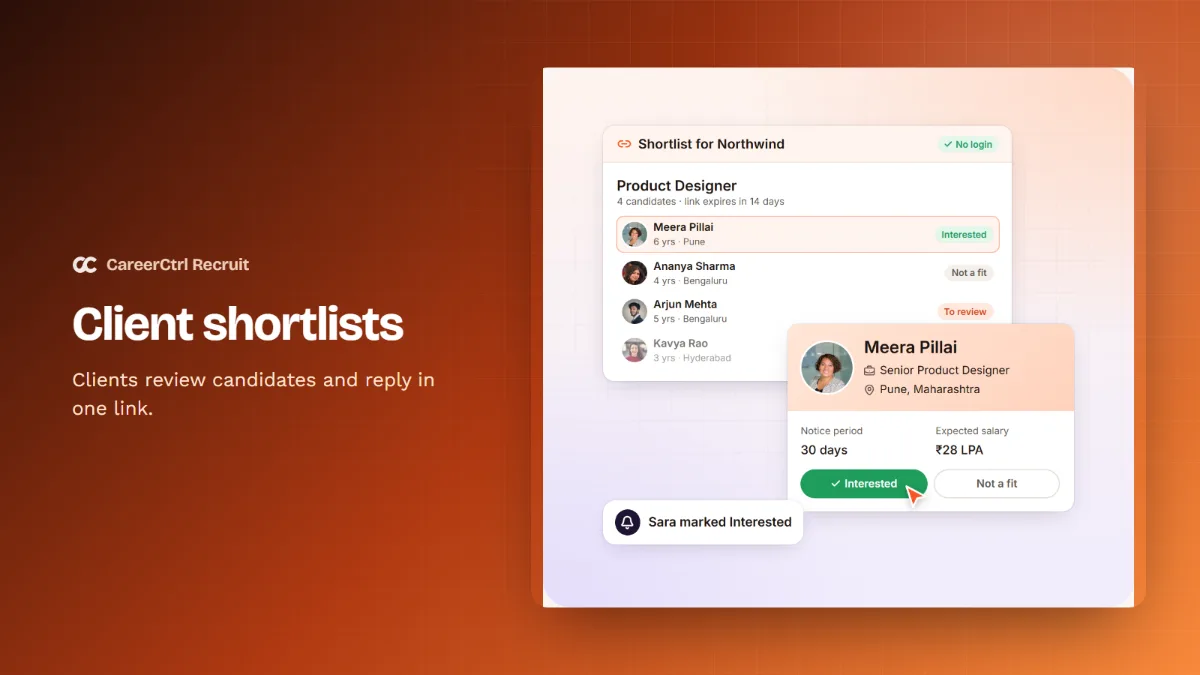
In CareerCtrl Recruit you send a shortlist as one secure link. The client opens it — no account, no password — and sees the job and a card for each candidate: headline, location, experience, notice period, expected salary, skills, work history and education.
On each card the client marks Interested or Not a fit and can leave a comment on a candidate or on the whole shortlist. They are asked for their name once so comments are signed, and it is remembered on that device. Everything they need to decide is on one page, which is the main reason decisions come back faster.
Write a one-line reason for every candidate
Before sending, write one line for each candidate on why they are on the list: "Ran the same ERP migration at a mid-size distributor; 30-day notice." A client who sees your reasoning trusts the shortlist more and argues with it less.
Follow up while it is fresh
Views, decisions and comments reach you in real time. That changes how you follow up. Instead of a generic "Any thoughts on the shortlist?" two days later, you can call the hiring manager an hour after they opened it and marked two candidates Interested.
- Opened but no decisions: a short call to ask what is holding them back.
- Interested: move straight to scheduling while the client is engaged.
- Not a fit with a comment: read it carefully. It is the best brief you will get for the next batch.
- Not opened after two days: resend with a one-line summary in the email body.
Ask for a reason on every Not a fit
When you brief a client on how to use the link, ask them to add a few words whenever they mark someone Not a fit. "Too senior", "needs B2B experience" or "notice period too long" takes them seconds and saves you a whole round of guessing on the next batch.
Use internal comments for your own team
Add internal comments to a submission for your colleagues: a candidate's counter-offer risk, a salary detail to confirm. Clients never see them.
Keep the client's picture in one place
Each client in Recruit has a profile with contacts, an owner and a stage — Prospect, Active, On hold or Closed — plus tabs for their jobs, shortlists and reviews. When a client calls about a role, you can see every shortlist you have sent them and how they responded without searching your inbox.
Over time, the Client submissions and Client pipeline reports show which clients respond quickly and which stall. That is useful when deciding where your team's time goes.
The faster a client can say yes or no, the more of your candidates are still available when they do.
Book a demo: See the client portal from your side and your client's, using one of your own roles, in a 30-minute walkthrough.