Reporting in recruiting often swings between two extremes: no numbers at all, or a monthly deck nobody reads. A better rhythm is a short weekly review of a handful of reports, each tied to a decision you can make that week.
CareerCtrl Recruit includes 17 hiring reports, built from the work your team already does in the pipeline. Thirteen are shared by every workspace; agencies also get Client submissions, Placements by client and Client pipeline, and companies get Department hiring. Here are the five we suggest starting with.
1. Hiring funnel
The funnel shows how many candidates reach each stage. Look for the biggest drop between two stages. A big drop from Shortlisted to Submitted may mean your screening is too loose; a big drop from Final interview to Offered may mean candidates are reaching the hiring manager without the right profile.
Decision: pick the single biggest drop and talk about it with the team this week.
2. Time to hire
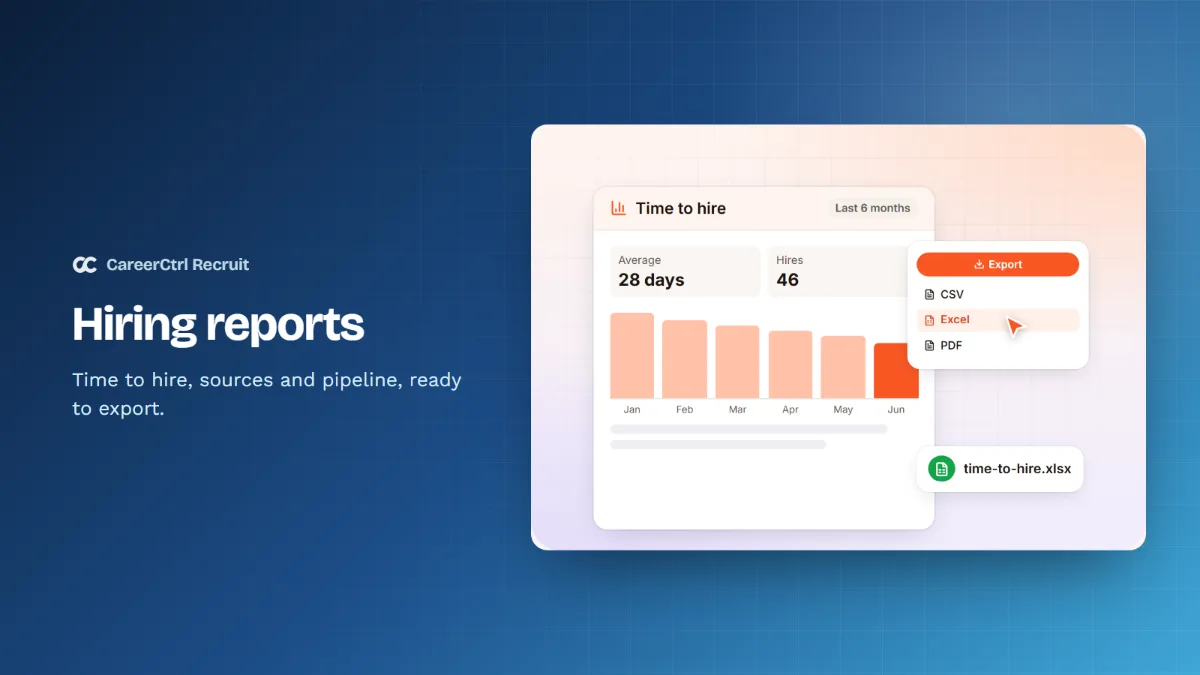
Time to hire shows how long it takes to fill roles. The number on its own matters less than the trend and the outliers. If one job is taking twice as long as similar ones, find out why: an unclear brief, a slow interviewer, or a salary range that is out of line with the market.
Decision: choose one slow job and remove one delay from it.
3. Drop-off reasons
Every candidate dropped from a pipeline is dropped with a reason, and this report adds them up. Patterns here are some of the most actionable data you have. If many candidates drop over salary, the budget or the job post needs to change. If many withdraw, look at how long they waited between stages.
4. Candidate sources
Sources shows where candidates come from and how far each source's candidates get. The useful question is not which source brings the most candidates, but which brings candidates who reach interview and offer.
Decision: put more effort into the source with the best conversion, not the biggest volume.
5. Response time
Response time shows how quickly candidates hear back. Slow responses are one of the most common reasons good candidates drop out, and one of the easiest to fix. Pair it with the Team productivity report to see whether one person is overloaded.
Making the review a habit
- Every report has KPIs, a bar or donut chart and a table you can filter, so a quick look is enough for most weeks.
- Schedule reports to arrive by email daily, weekly or monthly, to up to 25 recipients, so hiring managers see them without logging in.
- Download any report as CSV, Excel or PDF when you need to share it more widely.
- Use roles and permissions to decide who can view reports, so sensitive data like team productivity is seen by the right people.
Beyond the first five
Once the weekly review is routine, add reports as questions come up: Interviews for interview load, Candidate emails for outreach volume, and Activity log when you need to know who changed what. Agencies should add Placements by client, which shows hires, open roles and fill rate side by side.
Weekly recruitment report template
If you share a weekly recruiting report with hiring managers or leadership, keep it to one page. This template covers what most readers need, with a sample row for each line.
| Section | What to show | Example |
|---|---|---|
| Open roles | Number of open jobs and any new or closed this week | 12 open, 2 new, 1 filled |
| Pipeline | Candidates at each stage across all roles | 140 applied, 38 screened, 15 in interview, 3 offers |
| Biggest drop-off | The stage with the biggest fall and the top drop reason | Screened to interview: 60% dropped, mostly salary |
| Time to hire | Average days for roles filled this week, and the slowest open role | 28 days; Senior Java Developer open 52 days |
| Sources | Where candidates who reached interview came from | Referrals 40%, Naukri 35%, LinkedIn 25% |
| Response time | How fast candidates heard back after applying | Median 2 days; 9 candidates waiting over a week |
| Actions | One or two decisions for next week | Revisit the Java salary band; clear the 9 waiting candidates |
What to add to a monthly recruiting report
- Hires and offer acceptance rate for the month, against plan.
- Time to hire and time to fill by department or client, with the trend over three months.
- Cost per hire, if you track job portal and agency spend.
- Source of hire: which channels produced people who were hired, not just applicants.
- Interviewer load and feedback time, to spot bottlenecks in the hiring team.
- For agencies: submissions, interviews and placements by client, and fill rate.
A report you look at every week and act on is worth more than ten you look at once a quarter.
Book a demo: We'll walk through the dashboard, the hiring funnel and scheduled report emails using a sample workspace in 30 minutes.
Frequently asked questions
What should a recruiting report include?
At minimum: open roles, candidates at each pipeline stage, the biggest drop-off and its reason, time to hire, the sources that lead to interviews and hires, and one or two actions for the next period.
How often should you review recruiting reports?
Review a short set of five reports every week, so you can act while roles are still open, and a fuller report every month for trends, cost and hiring against plan.
What is the most important recruiting metric?
There is no single one, but time to hire and the hiring funnel together show most problems: where candidates drop out, and how long each role takes. Read them with drop-off reasons to understand why.