Crayon resume template
Crayon is a premium single-column, one-page, photo resume template. Fill it with AI in CareerCtrl, check your ATS score and download a PDF. A friendly, colourful resume in a rounded “browser window” card on a soft lavender page. A framed photo with a handwritten role tab sits beside a pink name pill and a summary box; pastel pill headings introduce outlined two-up cards for experience and education, with skills and contact details side by side at the end. Made for teachers, tutors, early-years educators and creative freelancers who want warmth without losing structure.
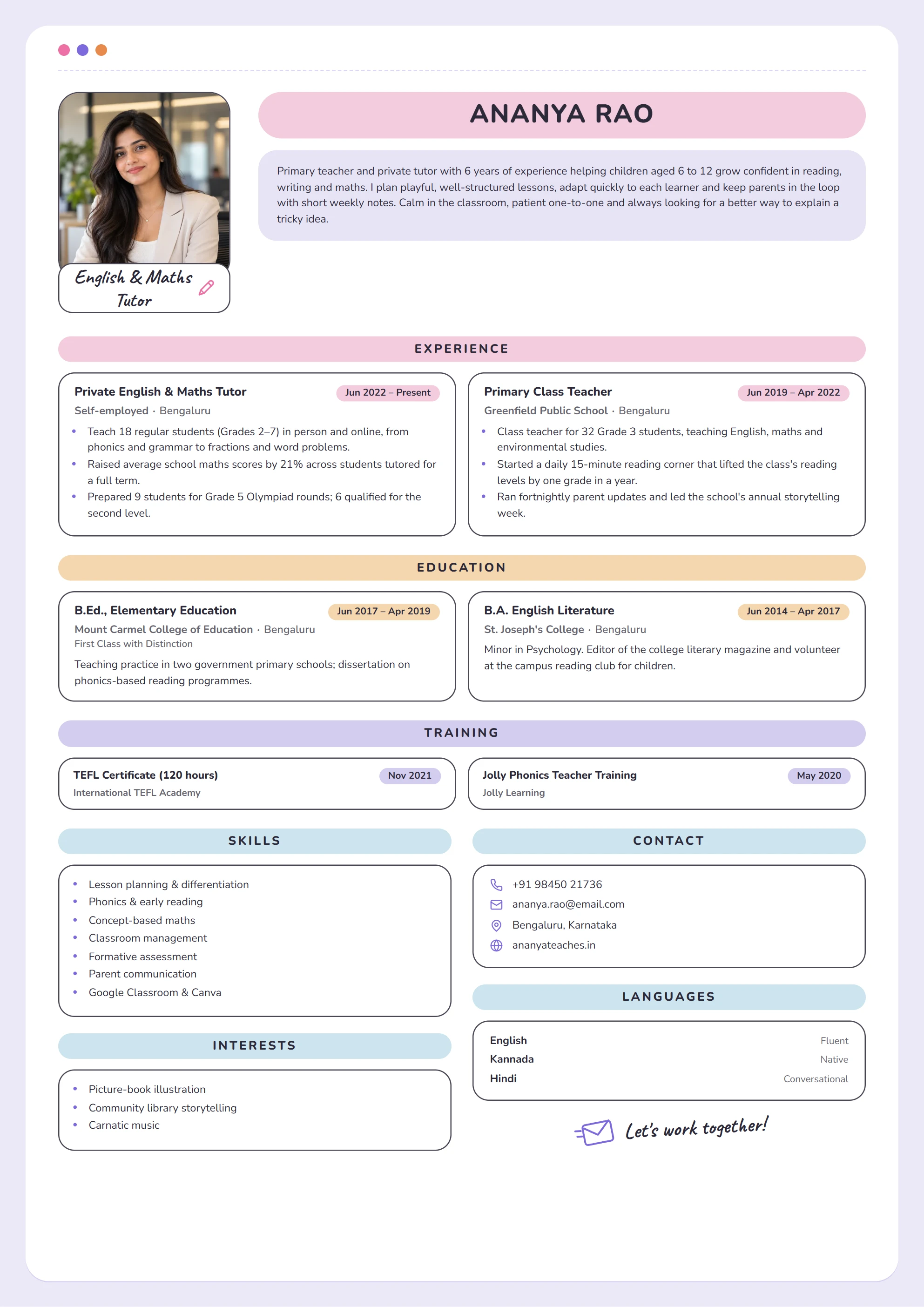
About the Crayon resume template
Crayon suits college students and entry-level to mid-level candidates in teaching, tutoring, education, early childhood education and freelance work.
- Price: Pro (included in Pro Lite and Pro)
- ATS: Design-first, not built for ATS
- Layout: Single column
- Length: One page
- Photo: Has a photo space
- Style: Modern, creative, playful and colorful
- Colours: Pink, pastel and lavender
- Experience: College students and entry-level to mid-level candidates
- Best for: Teaching, tutoring, education, early childhood education and freelance work
Questions about Crayon
Is the Crayon resume template ATS-friendly?
Crayon is a design-first template with a photo, so it is not built for applicant tracking systems. It works best when a person reads it first: a referral, a direct email to a recruiter or a portfolio. For job portals and company career sites, pick one of the ATS-friendly resume templates.
Does Crayon fit on one page?
Yes, Crayon is laid out as a one-page resume. If your content runs over, cut older roles to one or two lines and keep the bullets that show results with numbers.
When should I use Crayon, a template with a photo?
Use Crayon where a photo on a CV is common, as in the Middle East and parts of Europe and Asia, or when you send your resume straight to a person. Most employers in the US and UK don't expect a photo, so for those applications an ATS-friendly template without one is the safer choice.
Collections with Crayon
- Modern resume templates: Most corporate and startup roles where you want a fresh, clean look.
- Simple resume templates: Freshers and anyone who wants a quick, no-fuss resume.
- One-page resume templates: Freshers and early-career roles where recruiters expect one page.
- Resume templates with photo: Countries and companies where a photo on the CV is expected.
- Creative resume templates: Design, marketing and media roles that reward a distinctive look.
- Fresher resume and CV templates: Students and recent graduates with little work experience.
Templates like Crayon
- Peony resume template: Also one page
- Basalt resume template: Also one page and a photo
- Onyx resume template: Also one page and a photo
- Inkwell resume template: Also single column, one page and a photo
Check your resume with the free ATS resume checker
How to use the Crayon resume template
- Open the Crayon resume template in the CareerCtrl AI resume builder. It's free to start, with no card needed.
- Add your details, or import an existing resume and let CareerCtrl fill in the sections for you.
- Use the AI suggestions to tailor each section to the job you want, then check the result against the job description.
- Download your resume as a PDF. You can switch to another template at any time without typing anything again.