Ledger resume template
Ledger is a free ATS-friendly, single-column, one-page resume template. Fill it with AI in CareerCtrl, check your ATS score and download a PDF. A classic Harvard-style resume in a single column of Garamond serif: your name and one contact line, uppercase section headings over a full-width rule, and each role laid out as company and dates, then title and location, with bullets and sub-bullets. Plain, linear text that applicant tracking systems parse cleanly, built for finance, banking, consulting and MBA applications.
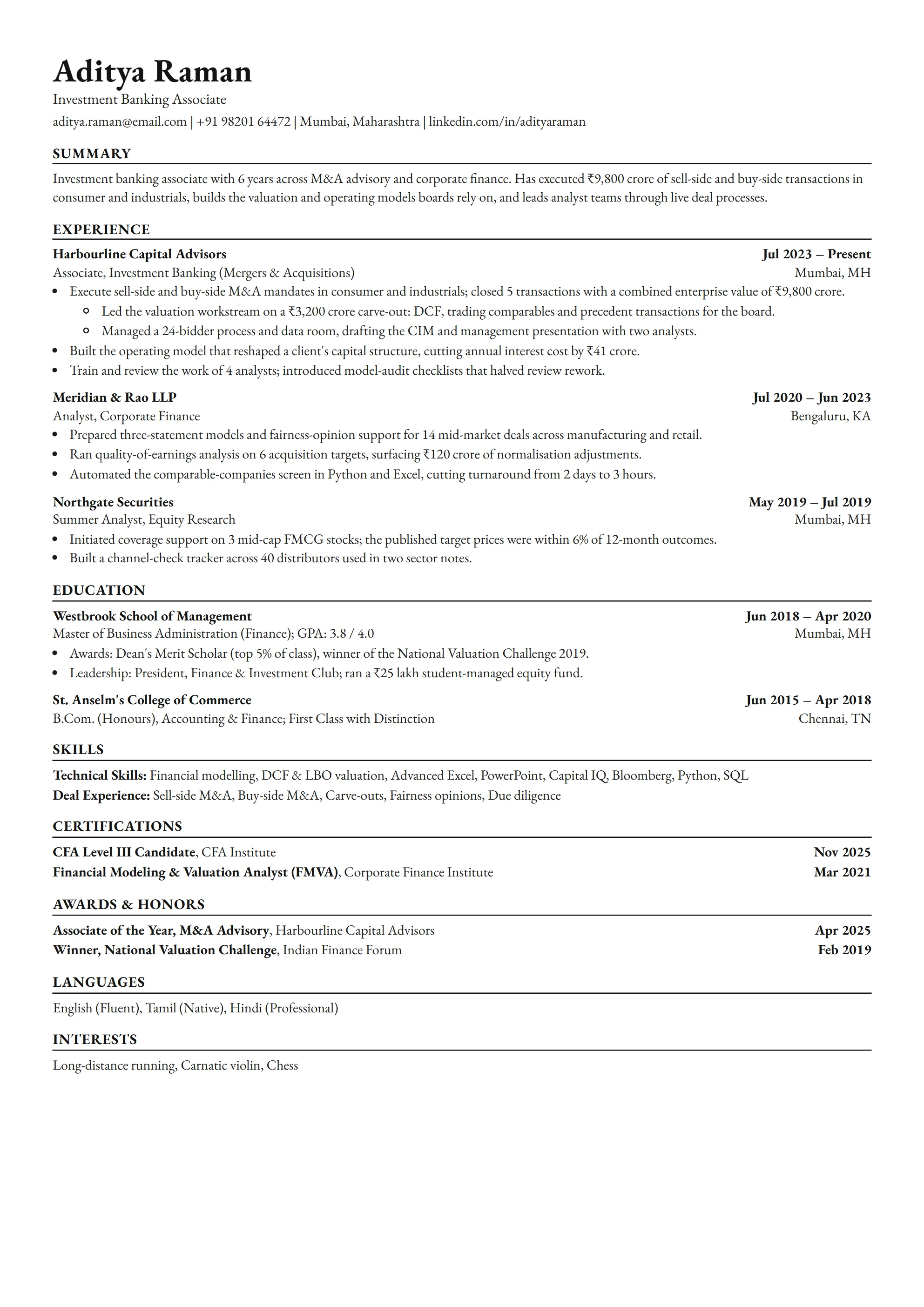
About the Ledger resume template
Ledger suits recent graduates and mid-level candidates in finance, banking, accounting, business and MBA roles.
- Price: Free
- ATS: ATS-friendly
- Layout: Single column
- Length: One page
- Style: Simple, professional, corporate and classic
- Design details: Serif type
- Colours: Monochrome
- Experience: Recent graduates and mid-level candidates
- Best for: Finance, banking, accounting, business and MBA roles
Questions about Ledger
Is the Ledger resume template free?
Yes. Ledger is free to use. Fill it in with the CareerCtrl AI resume builder and download it as a PDF with no watermark.
Is the Ledger resume template ATS-friendly?
Yes. It keeps your content in one column of plain text that reads from top to bottom, the order an applicant tracking system expects. Fill it in, then run it through the free ATS resume checker to see your score before you apply.
Does Ledger fit on one page?
Yes, Ledger is laid out as a one-page resume. If your content runs over, cut older roles to one or two lines and keep the bullets that show results with numbers.
Collections with Ledger
- Professional resume templates: Corporate, finance and operations roles that favour a traditional layout.
- Free ATS-friendly resume and CV templates: Online applications through job portals and company career sites.
- Simple resume templates: Freshers and anyone who wants a quick, no-fuss resume.
- One-page resume templates: Freshers and early-career roles where recruiters expect one page.
- Finance resume templates: Accountants, analysts and banking roles that lead with numbers.
- MBA resume templates: B-school applications, summer internships and post-MBA roles.
- Fresher resume and CV templates: Students and recent graduates with little work experience.
Templates like Ledger
- Classic ATS resume template: Also ATS-friendly, single column and one page, for finance
- Cardinal resume template: Also ATS-friendly, single column and one page, for finance and banking
- Admiral resume template: Also ATS-friendly, single column and one page
- Sterling resume template: Also ATS-friendly, single column and one page, for finance and accounting
Check your resume with the free ATS resume checker
How to use the Ledger resume template
- Open the Ledger resume template in the CareerCtrl AI resume builder. It's free to start, with no card needed.
- Add your details, or import an existing resume and let CareerCtrl fill in the sections for you.
- Use the AI suggestions to tailor each section to the job you want, then check the result against the job description.
- Download your resume as a PDF. You can switch to another template at any time without typing anything again.