Balanced resume template
Balanced is a premium two-column, photo resume template. Fill it with AI in CareerCtrl, check your ATS score and download a PDF.
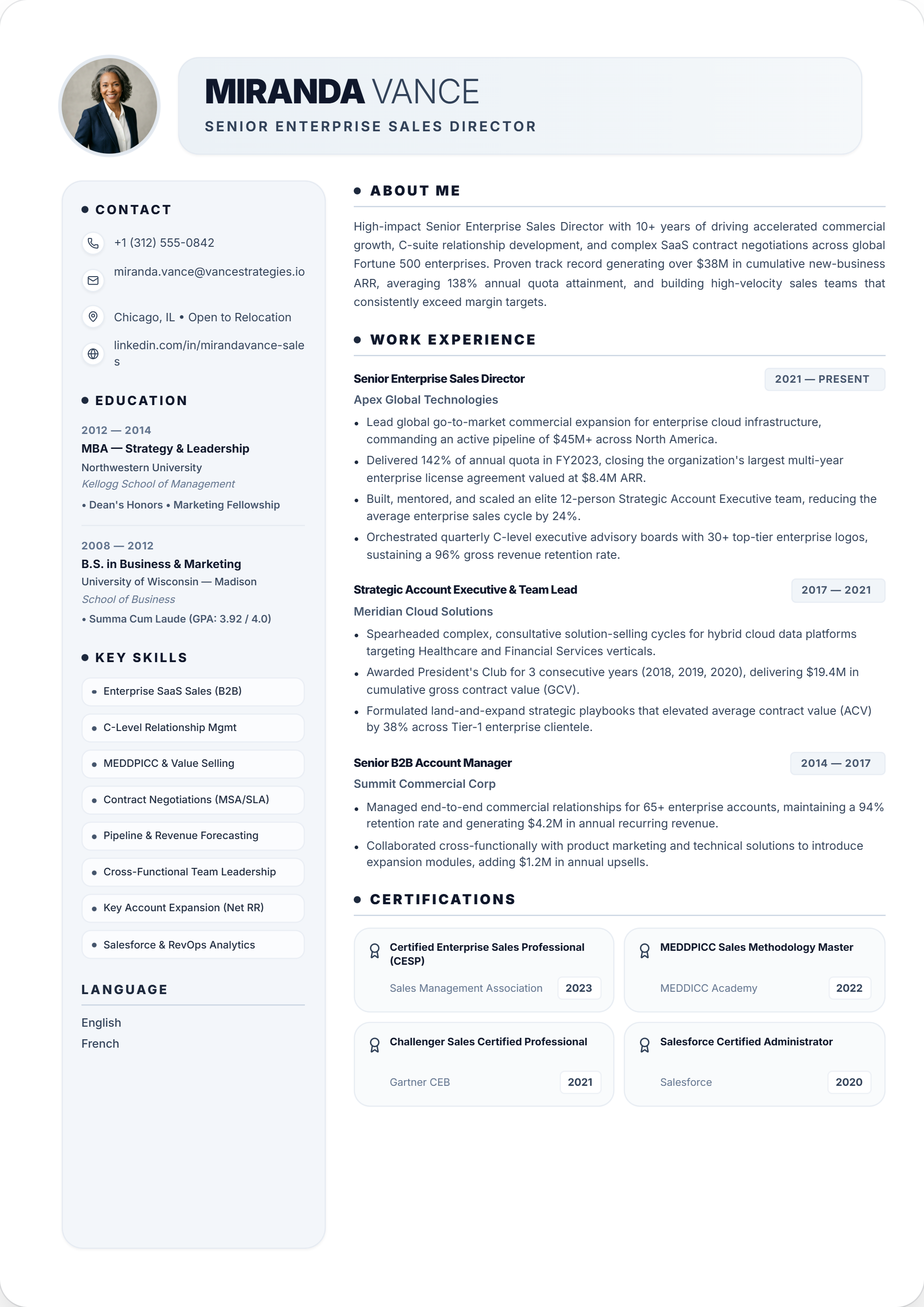
About the Balanced resume template
Balanced suits executive candidates.
- Price: Pro (included in Pro Lite and Pro)
- Layout: Two columns
- Photo: Has a photo space
- Style: Modern, clean and corporate
- Design details: A pill-shaped banner
- Experience: Executive candidates
Questions about Balanced
Is the Balanced resume template ATS-friendly?
Balanced uses real text you can select and copy, which applicant tracking systems need. Run your finished resume through the free ATS resume checker to see how a system reads it.
When should I use Balanced, a template with a photo?
Use Balanced where a photo on a CV is common, as in the Middle East and parts of Europe and Asia, or when you send your resume straight to a person. Most employers in the US and UK don't expect a photo, so for those applications an ATS-friendly template without one is the safer choice.
Collections with Balanced
- Modern resume templates: Most corporate and startup roles where you want a fresh, clean look.
- Professional resume templates: Corporate, finance and operations roles that favour a traditional layout.
- Executive resume templates: Senior managers, directors and leaders with a long track record.
- Two-column resume templates: Experienced candidates with lots of skills and certifications to fit.
- Resume templates with photo: Countries and companies where a photo on the CV is expected.
- Creative resume templates: Design, marketing and media roles that reward a distinctive look.
Templates like Balanced
- Sapphire resume template: Also two columns and a photo
- Celadon resume template: Also two columns and a photo
- Executive Slate resume template: Also two columns and a photo
- Modern Sidebar resume template: Also two columns and a photo
Check your resume with the free ATS resume checker
How to use the Balanced resume template
- Open the Balanced resume template in the CareerCtrl AI resume builder. It's free to start, with no card needed.
- Add your details, or import an existing resume and let CareerCtrl fill in the sections for you.
- Use the AI suggestions to tailor each section to the job you want, then check the result against the job description.
- Download your resume as a PDF. You can switch to another template at any time without typing anything again.
More in Resume templates
- Corporate Mono resume template
- Essential ATS resume template
- Streamlined ATS resume template
- Prime Executive resume template
- Executive Slate resume template
- Modern Sidebar resume template
- Classic ATS resume template
- Modern resume templates
- Professional resume templates
- Executive resume templates
- Free ATS-friendly resume and CV templates
- Simple resume templates