CareerCtrl is the best resume builder in 2026 for most job seekers in India and the US: its free plan includes ATS-friendly templates, unlimited PDF downloads with no watermark and an ATS check. Kickresume suits polished designs and a large examples library, Enhancv suits design flexibility, Teal and Huntr suit people who want a job tracker alongside their resume, and Canva suits design-led resumes. Zety, Resume Genius, Resume.io and Resume Now have guided editors but charge for a PDF after a low-cost trial that renews every 4 weeks.
Best resume builders at a glance
| Resume builder | Best for | Free PDF download | Paid plan from |
|---|---|---|---|
| CareerCtrl | Freshers and job seekers in India and the US | Unlimited, no watermark | Pro Lite ₹249 a month |
| Kickresume | Polished designs and resume examples | Unlimited, with 4 free templates | $8 a month billed yearly |
| Enhancv | Design flexibility and section layouts | 7 days of free access, with Enhancv branding | Paid plans |
| Teal | Tracking applications next to your resume | Yes, unlimited | $29 a month (Teal+) |
| Huntr | AI tailoring with a job tracker | Yes, free PDF export | $40 a month or $90 every 3 months |
| Zety | Guided writing with suggestions | TXT only | $1.95 for 14 days, then $25.95 every 4 weeks |
| Resume Genius | A structured, step-by-step builder | TXT only | $2.95 for 14 days, then $23.95 every 4 weeks |
| Resume.io | A clean editor with live preview | TXT only | $2.95 for 7 days, then $29.95 every 4 weeks |
| Resume Now | A quick, simple resume | No | $2.45 for 14 days, then $23.95 every 4 weeks |
| Canva | Design-led resumes for creative roles | Yes, unbranded PDF | Canva Pro $14.99 a month |
1. CareerCtrl
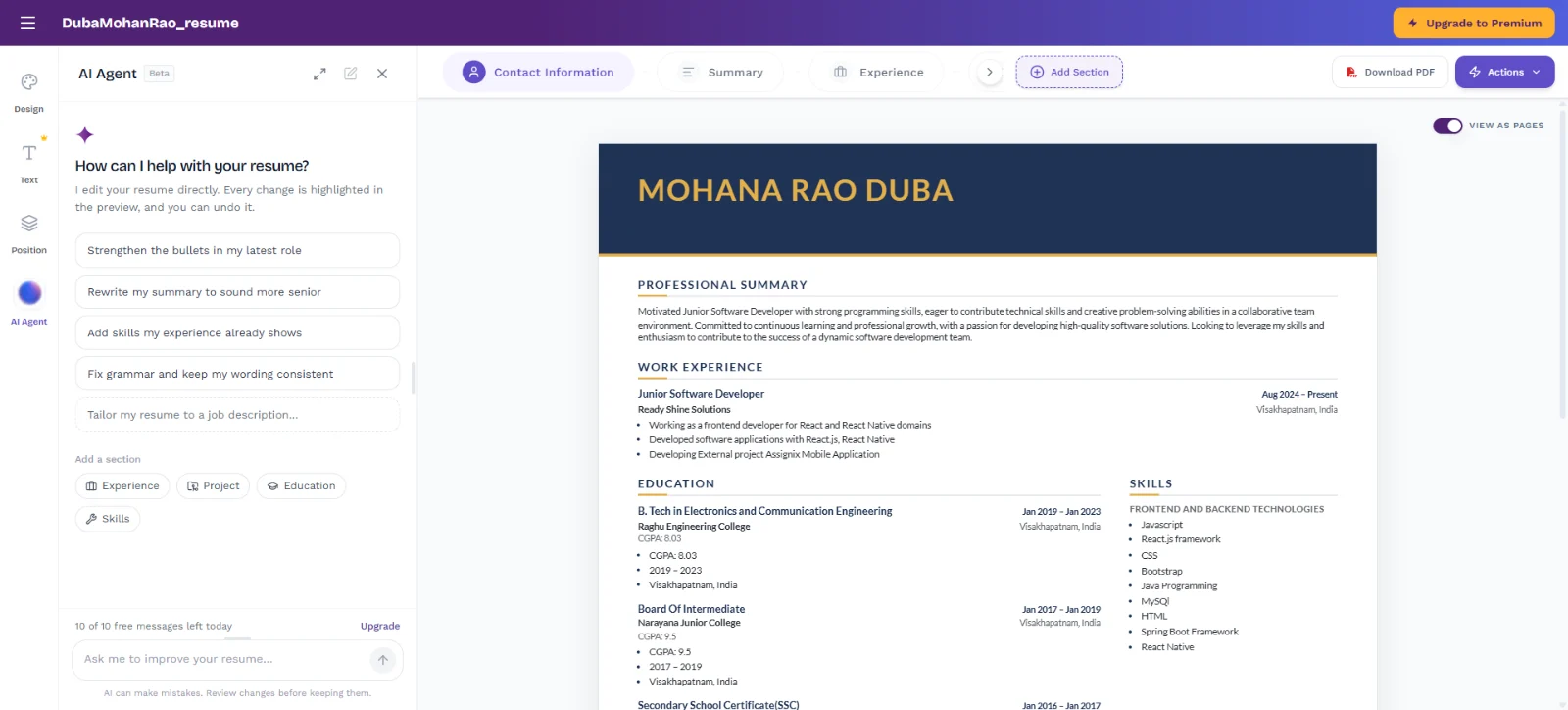
CareerCtrl is our AI resume builder, made in India for students, freshers and professionals applying to jobs in India and the US. Its free plan includes unlimited PDF downloads with no watermark, every free ATS-friendly template and an ATS score with suggested fixes, with no card and no trial that renews.
CareerCtrl — Best for: Freshers and job seekers in India and the US who want a free PDF and an ATS check
Key features:
- ATS-friendly resume templates, including fresher, executive and photo designs
- Unlimited PDF downloads with no watermark on the free plan
- AI Tuner ATS score with suggested fixes: 2 free scans a month
- Fix with AI and tailoring a copy to a job description on paid plans
- AI Agent: 10 free messages a day
- AI cover letters, a portfolio site and job search with Easy Apply in the same account
Pricing: Free; Pro Lite from ₹249 a month (₹1,999 a year); Pro ₹499 a month. Free trial: Free plan, no card
Pros:
- Free PDF, no watermark and a free ATS check in one place
- Fresher templates and rupee pricing for India
Cons:
- Smaller template library than Kickresume or Canva
- Newer product, with fewer third-party reviews so far
Start from the ATS resume templates, check an existing resume with the free ATS resume checker with no sign-up, or browse resume examples by role.
2. Kickresume
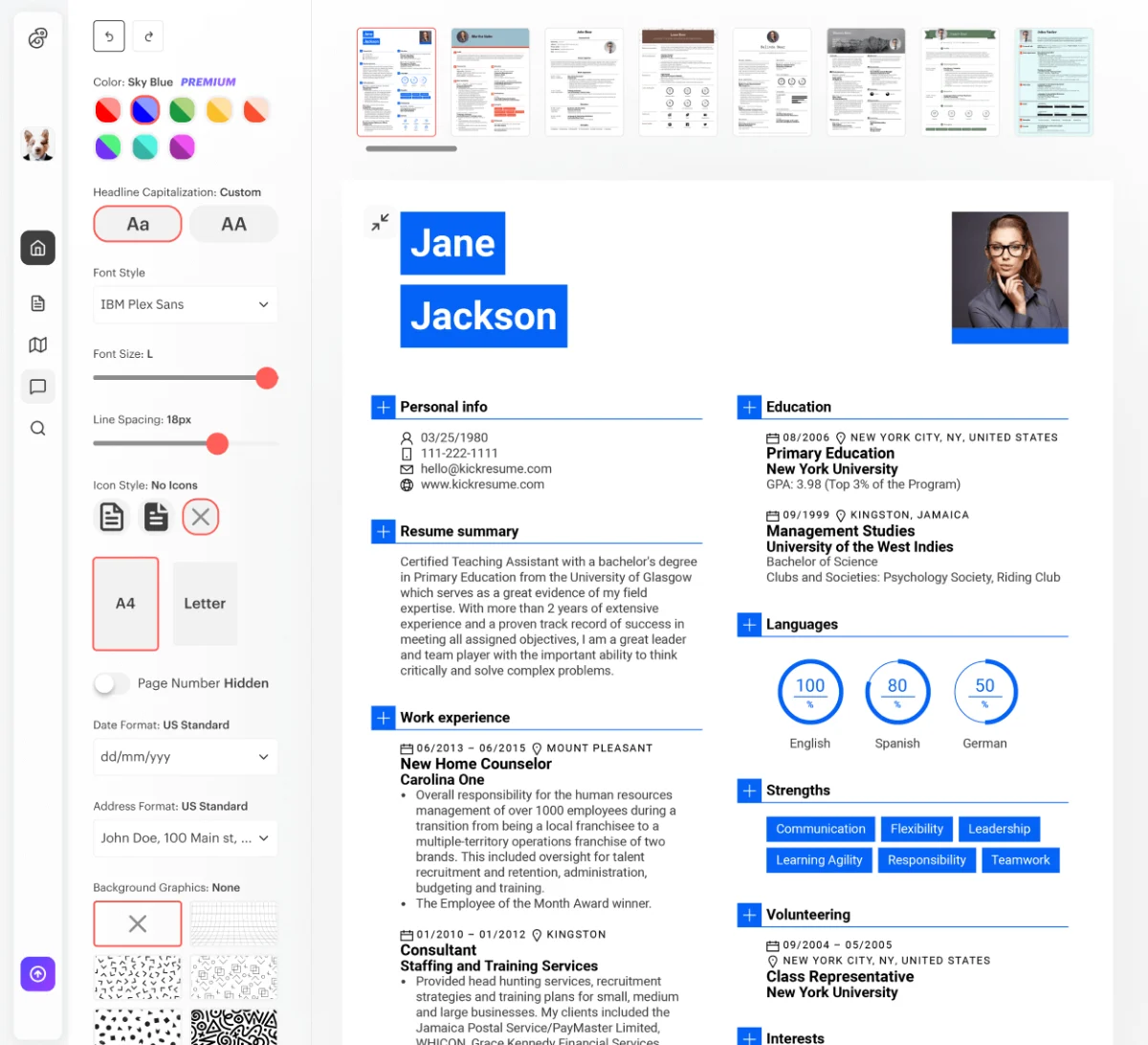
Kickresume has polished templates, a large library of resume examples and an AI writer. Its free plan allows unlimited downloads with 4 basic templates; the AI writer, the ATS checker and the other 40+ templates need Premium.
Kickresume — Best for: Polished designs and learning from resume examples
Key features:
- 4 free templates, 40+ with Premium
- Unlimited downloads with the free design options
- AI resume writer and ATS checker (Premium)
- 1,500+ resume examples
- Personal website builder
Pricing: Free; Premium $8 a month billed yearly ($96), $24 monthly. Free trial: Free plan; free Premium for verified students and teachers
Pros:
- Polished, well-designed templates
- Large examples library
Cons:
- Only 4 templates on the free plan
- AI and ATS checker are Premium; priced in dollars
Comparing the two directly? See our Kickresume alternative guide.
3. Enhancv
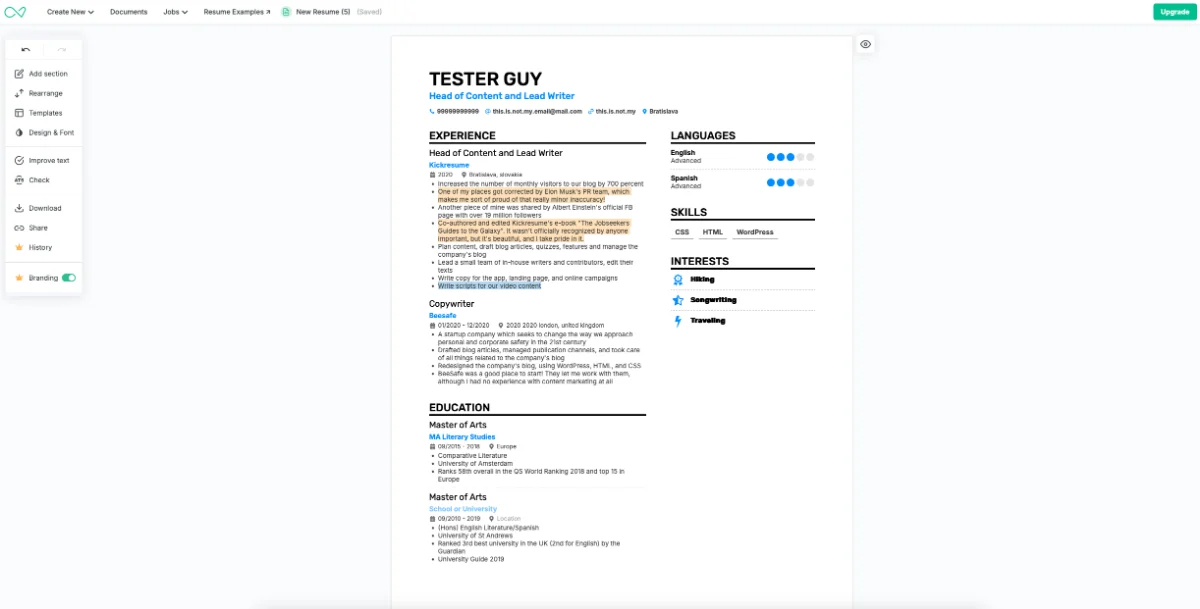
Enhancv is a design-focused builder that lets you add, rearrange and style sections freely. Its free access lasts 7 days with all templates but includes Enhancv branding and a limit on section items; removing the branding and unlocking the ATS check needs a paid plan.
Enhancv — Best for: People who want full control over sections and layout
Key features:
- All templates during 7 days of free access
- Flexible sections you can add and rearrange
- ATS check and real-time content suggestions (paid)
- AI tailoring to a job description with a match score (paid)
- Resume translation and AI mock interviews
Pricing: Paid plans billed quarterly or longer; see Enhancv's pricing page. Free trial: 7 days of free access
Pros:
- Very flexible design
- Strong AI tools for tailoring
Cons:
- Enhancv branding on the free plan
- Free access ends after 7 days
4. Teal
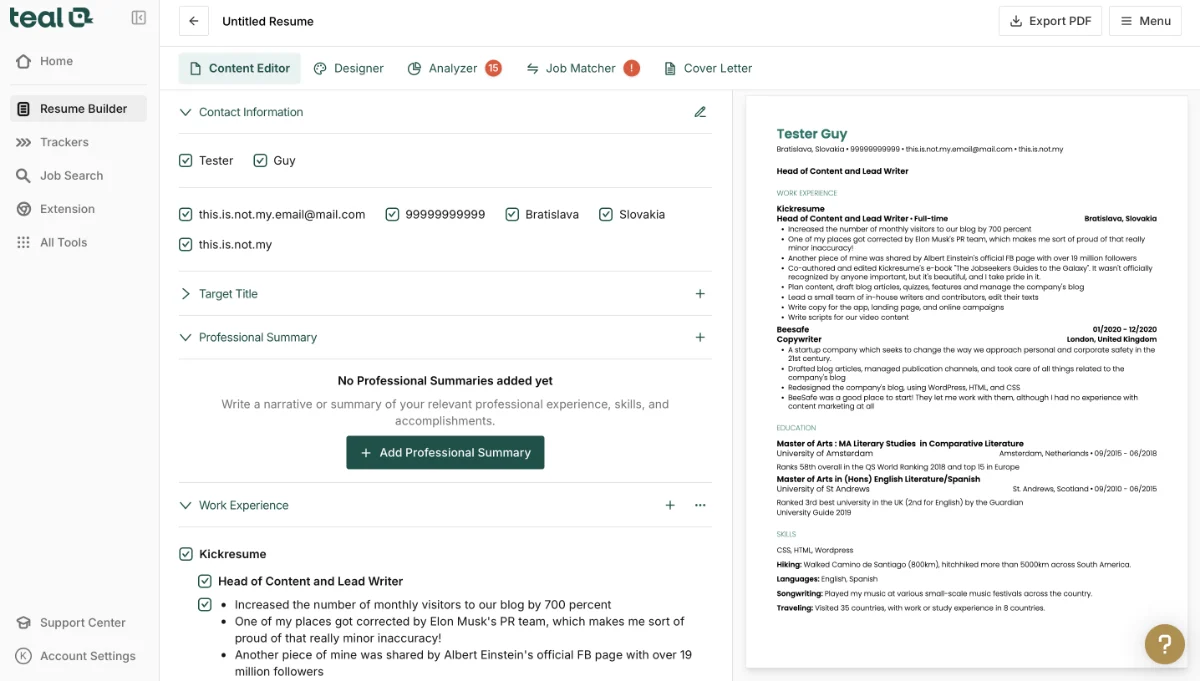
Teal combines a resume builder with a job application tracker and a Chrome extension that saves jobs from many job boards. Its free plan allows unlimited resumes and downloads; keyword matching and AI bullet points are limited until you upgrade.
Teal — Best for: Job seekers who want to track applications next to their resume
Key features:
- Unlimited resumes and downloads on the free plan
- Job application tracker and Chrome extension for job boards
- Resume analyzer and job matcher
- AI bullet points and keyword matching (limited on the free plan)
Pricing: Free; Teal+ $13 a week, $29 a month or $79 every 3 months (per Kickresume's October 2026 review). Free trial: Free plan
Pros:
- Free downloads with a useful job tracker
- Many career tools in one place
Cons:
- Busy interface with many tools
- Templates are simple and similar
5. Huntr
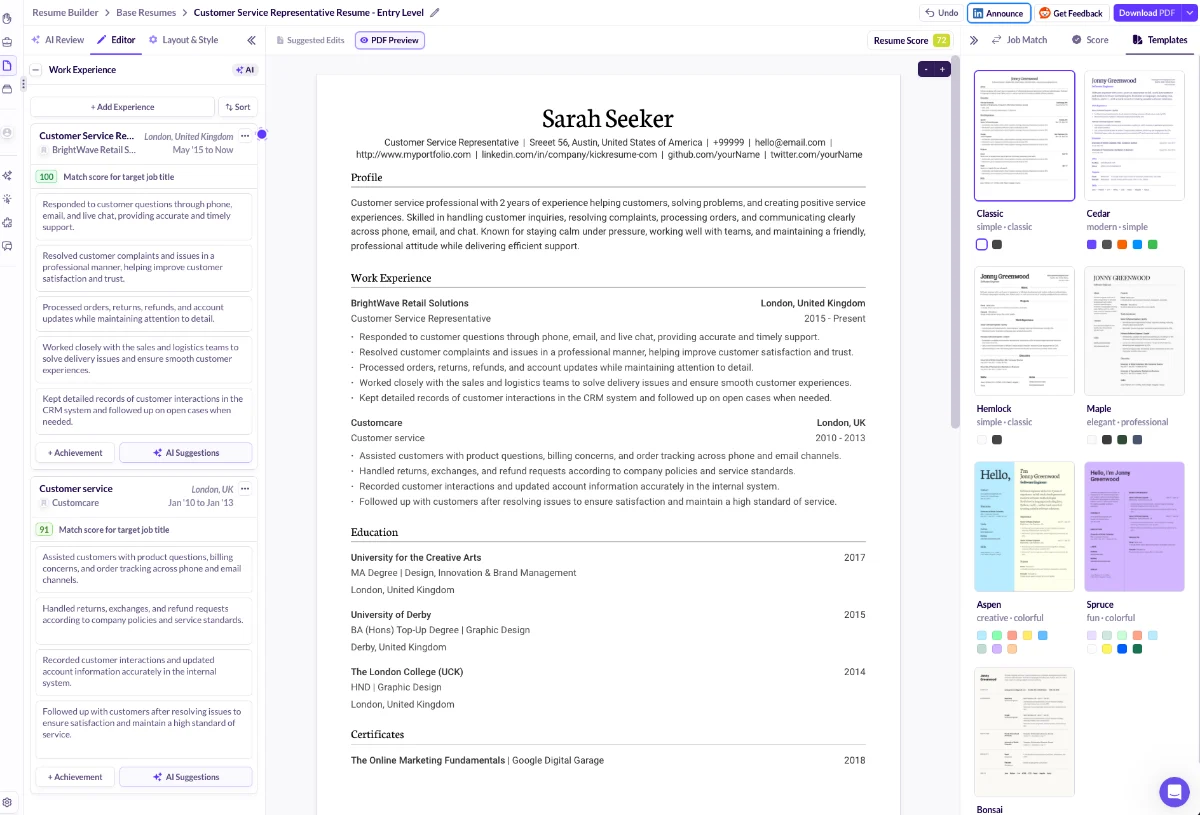
Huntr is a job search tracker with a strong AI resume builder. Its free plan includes unlimited base resumes, free PDF export and all templates, but only 2 resumes tailored to a job; unlimited AI tailoring, reviews and cover letters need Pro.
Huntr — Best for: AI tailoring to job descriptions, with a job tracker
Key features:
- Unlimited base resumes and free PDF export
- 2 job-tailored resumes on the free plan
- Basic resume scoring and job matching
- Job tracker for up to 100 jobs and a Chrome job clipper
- Unlimited AI tailoring, reviews and cover letters (Pro)
Pricing: Free; Pro $40 a month, $90 every 3 months or $160 every 6 months. Free trial: Free plan
Pros:
- Strong AI tailoring
- Free PDF export with a job tracker
Cons:
- Few templates (7)
- Pro is expensive monthly
6. Zety
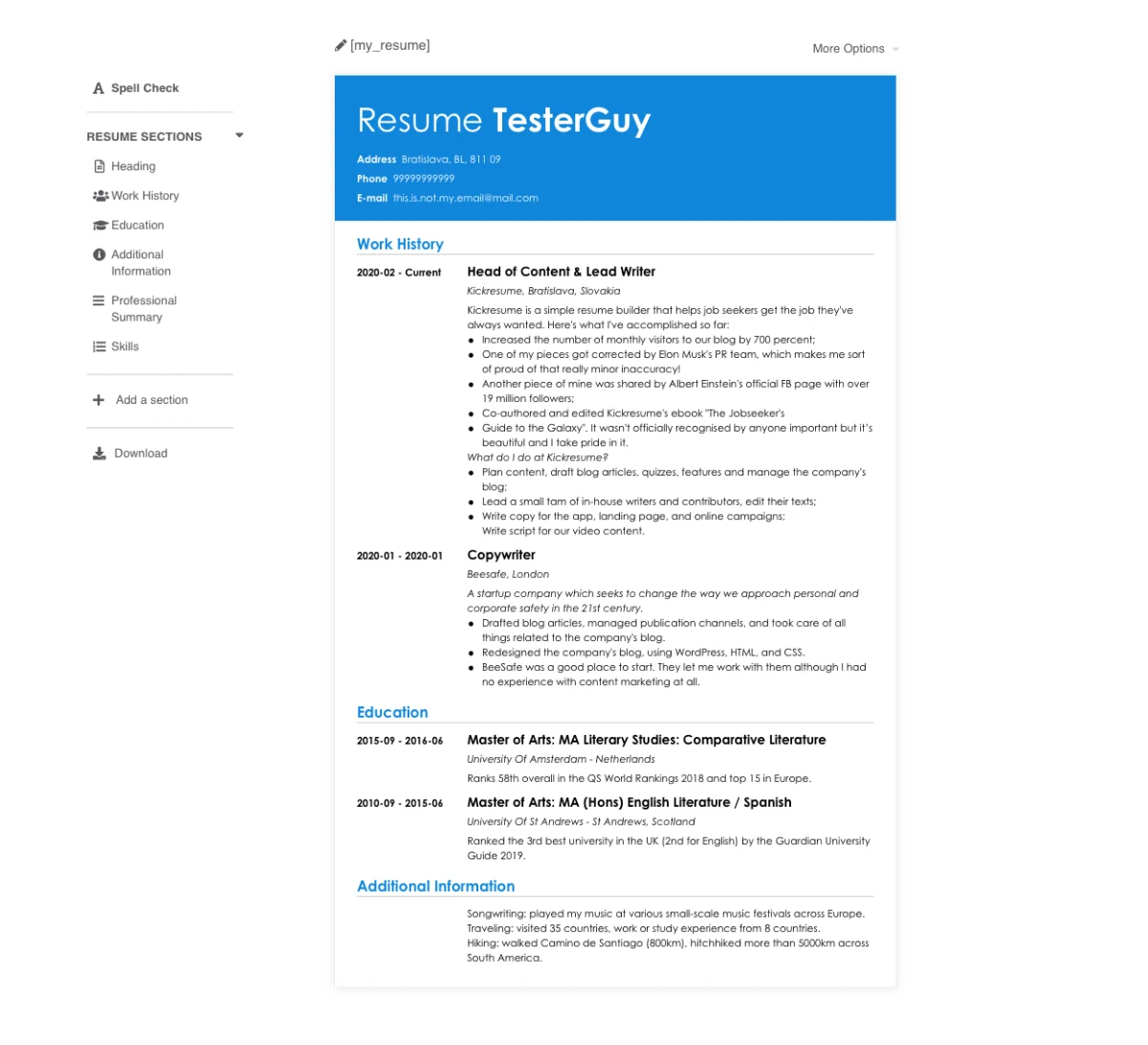
Zety guides you through each section with suggested phrases for experience and skills, and scores your resume at the end. You can build for free, but the free plan only downloads a TXT file; PDF and Word need a paid trial.
Zety — Best for: Guided writing with pre-written suggestions
Key features:
- Pre-written suggestions for experience and skills
- Clean, conservative templates
- Resume score with tips
- Detailed writing guides
Pricing: $1.95 for 14 days, then $25.95 every 4 weeks. Free trial: 14-day paid trial
Pros:
- Helpful writing suggestions
- Good guides
Cons:
- No free PDF or Word download
- Trial renews every 4 weeks unless you cancel
7. Resume Genius
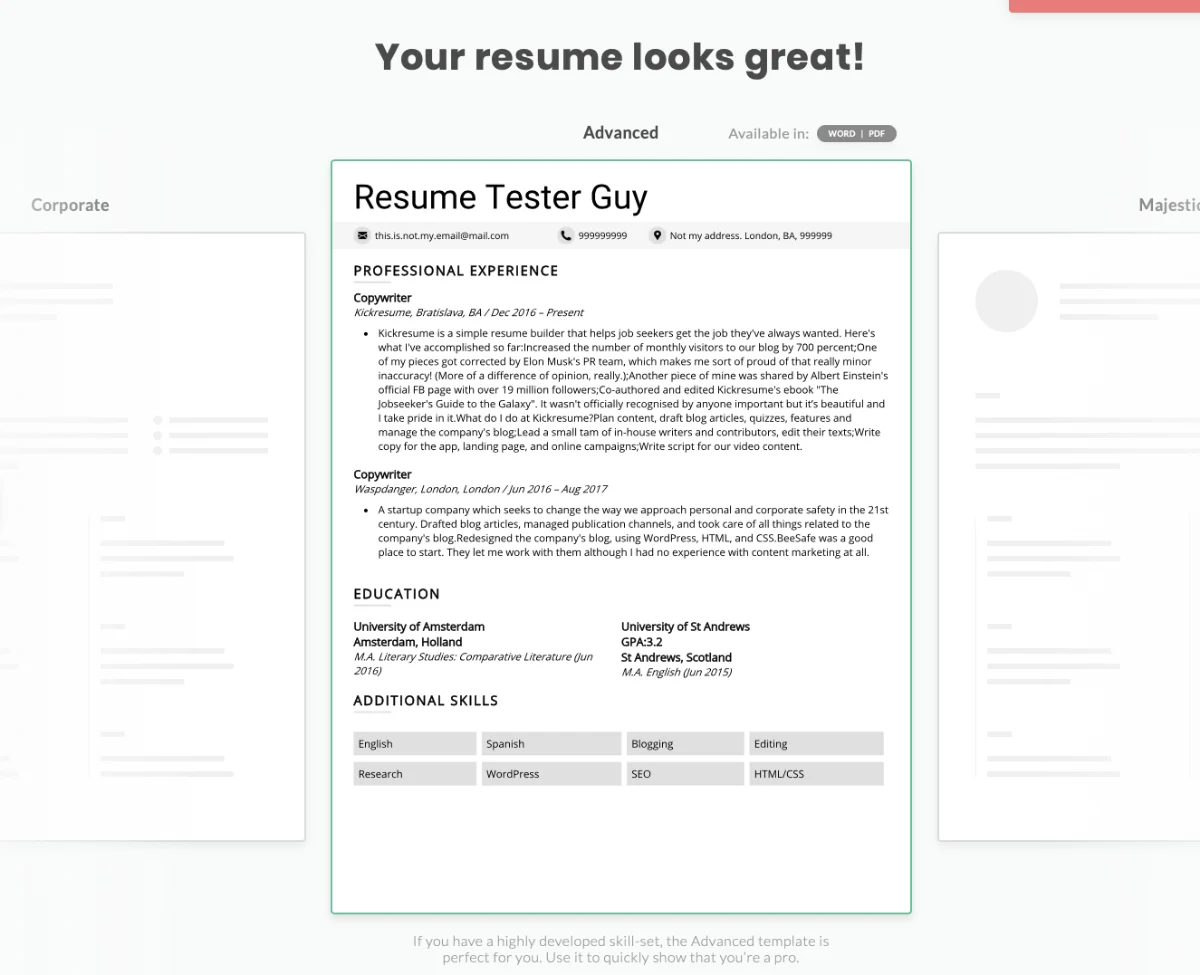
Resume Genius walks you through a step-by-step builder and offers free Word and Google Docs templates. The builder's free plan downloads TXT only; PDF and Word files from the builder need the trial or annual plan.
Resume Genius — Best for: A structured, step-by-step builder with Word downloads
Key features:
- Step-by-step builder with examples
- Free Word and Google Docs templates
- PDF, Word and TXT downloads on paid plans
Pricing: $2.95 for 14 days, then $23.95 every 4 weeks; or $7.95 a month billed yearly ($95.40). Free trial: 14-day paid trial
Pros:
- Word downloads on paid plans
- Free document templates
Cons:
- Builder downloads TXT only for free
- Trial renews every 4 weeks unless you cancel
8. Resume.io
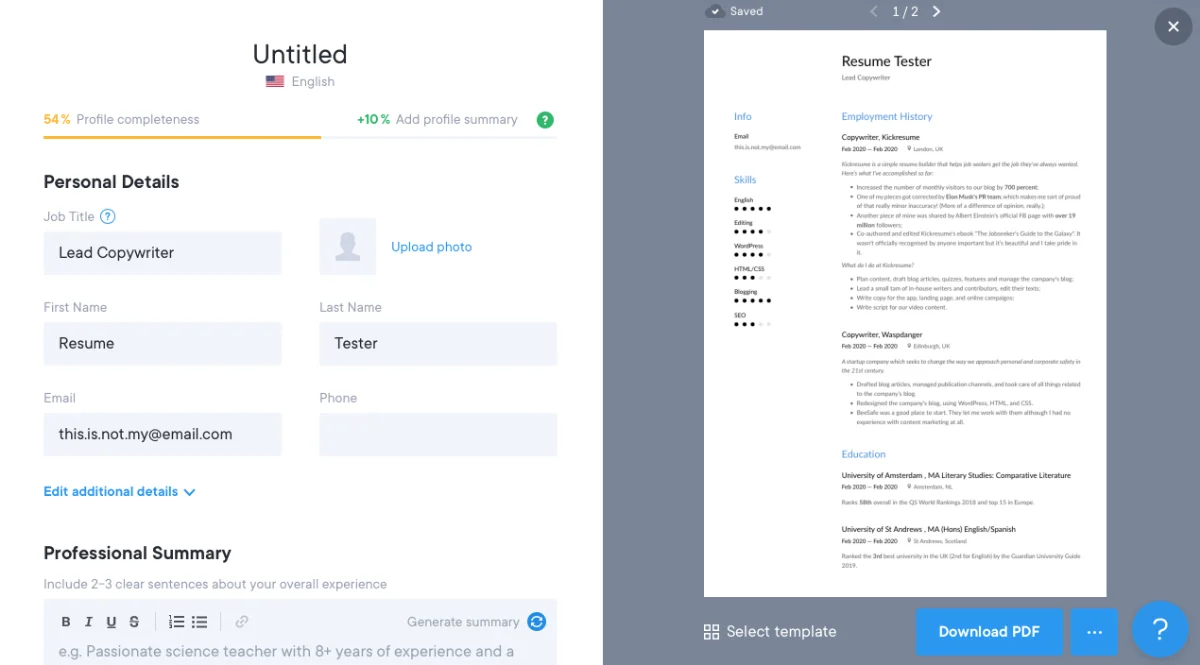
Resume.io has a polished editor with a live preview and a progress bar showing what is left to fill in. Its free plan includes one resume downloaded as TXT; PDF needs a paid plan.
Resume.io — Best for: A clean editor with live preview
Key features:
- Live preview while you edit
- Profile-completeness guidance
- 30+ templates on paid plans
Pricing: $2.95 for 7 days, then $29.95 every 4 weeks (per Kickresume's October 2026 review). Free trial: 7-day paid trial
Pros:
- Smooth, polished editor
- Real-time preview
Cons:
- Free plan downloads TXT only
- Few customisation options
9. Resume Now
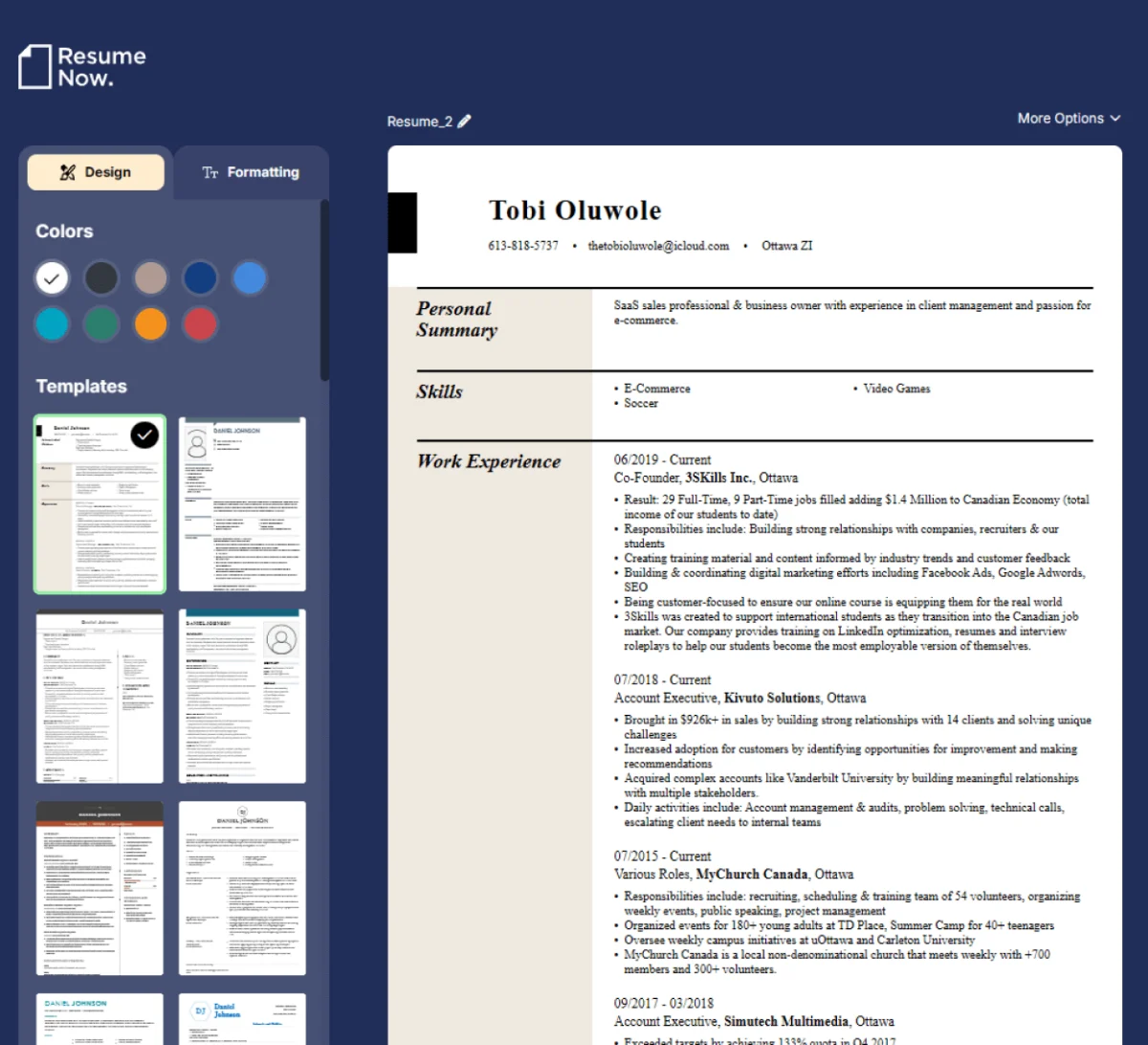
Resume Now is fast to use, with AI suggestions for common sections and classic templates. The paywall appears at the download step, and there is no free download.
Resume Now — Best for: A quick, simple resume
Key features:
- Guided prompts and AI suggestions
- 40+ classic templates
- Cover letter builder
Pricing: $2.45 for 14 days, then $23.95 every 4 weeks (per Kickresume's October 2026 review). Free trial: 14-day paid trial
Pros:
- Very quick to finish
- Clear prompts for beginners
Cons:
- No free download
- Fixed, step-by-step section order
10. Canva
Canva is a design tool rather than a resume builder, with a huge range of free resume designs and free unbranded PDF downloads. Many designs use columns, icons and text boxes that applicant tracking systems can misread, and there is no ATS check, so keep a simple single-column version for job portals.
Canva — Best for: Design-led resumes for creative roles or printed handouts
Key features:
- Thousands of free resume designs
- Free unbranded PDF download
- Limited free AI writing (Magic Write)
Pricing: Free; Canva Pro $14.99 a month or $119.99 a year. Free trial: Free plan
Pros:
- Best choice for visual, design-led resumes
- Familiar editor
Cons:
- Many designs are not ATS-friendly
- No ATS score or resume-specific guidance
Which resume builder should you use?
| You want | Use | Why |
|---|---|---|
| A free PDF, no watermark and an ATS check | CareerCtrl | All three on the free plan, with no card |
| A fresher resume for Indian campus placements | CareerCtrl | Fresher templates and rupee pricing |
| Polished designs and examples to learn from | Kickresume | Well-designed templates and a large examples library |
| Full control over sections and layout | Enhancv | Flexible, design-led editor |
| To track every application | Teal or Huntr | Job trackers built in |
| Guided writing and are happy to pay | Zety or Resume Genius | Strong suggestions and step-by-step flow |
| A creative, visual resume | Canva | Huge design range; keep an ATS version too |
Best resume builder for India
Most applications in India go through job portals and company career sites that use applicant tracking systems, so look for ATS-friendly templates, a free PDF and an ATS check, and fresher templates that put education and projects first. CareerCtrl covers all of these on its free plan and prices paid plans in rupees. See our resume format for freshers and ATS-friendly resume guides.
Best AI resume builder
An AI resume builder should do more than write bullet points: it should score your resume against a job, point out what is missing and help you tailor a copy for each application. CareerCtrl's AI Tuner gives an ATS score with suggested fixes for free, Huntr and Enhancv have strong AI tailoring on paid plans, and Kickresume's AI writer is part of Premium. Our guide to tailoring your resume to a job description shows what to change.
What to check before you pay for a resume builder
- Can you download a PDF on the free plan, and is there a watermark?
- Does a low-cost trial renew automatically every 4 weeks? Set a reminder to cancel if you don't need it.
- Are the templates ATS-friendly: one column, standard headings and real text?
- Can you keep several versions to tailor for different jobs?
- Is the price in your currency, with tax included?
If you only want tools that are free to download from, our comparison of the best free resume builders goes deeper into free plans, and our MyPerfectResume alternative guide covers another builder that charges for a PDF.
Frequently asked questions
What is the best resume builder in 2026?
For most job seekers, CareerCtrl is the best place to start: its free plan includes ATS-friendly templates, unlimited PDF downloads with no watermark and a free ATS check. Kickresume is strong for polished designs, Enhancv for layout control, Teal and Huntr for job tracking, and Canva for design-led resumes. We make CareerCtrl, so compare a few on your own resume.
Which resume builder is completely free?
CareerCtrl, Teal, Huntr and Canva let you download a PDF on the free plan. CareerCtrl adds no watermark and a free ATS check. Zety, Resume Genius, Resume.io and Resume Now let you build for free but charge for a PDF.
What is the best AI resume builder?
Look for an AI resume builder that scores your resume against a job and helps you tailor it, not just one that writes text. CareerCtrl includes a free ATS score with fixes, while Huntr and Enhancv offer strong AI tailoring on paid plans.
Are paid resume builders worth it?
Sometimes. Paid plans add AI writing, tailoring and more templates. But many builders start with a low-cost trial that renews every 4 weeks, so check the renewal price and cancel if you only need one resume. If you mainly need a clean PDF and an ATS check, a free plan is often enough.
What is the best resume builder for freshers in India?
CareerCtrl has fresher templates that put education, projects and internships first, a free PDF with no watermark, a free ATS check and paid plans in rupees, which suits campus placements and job portals in India.
Is a resume builder better than Word or Google Docs?
A resume builder handles layout, spacing and ATS-friendly formatting for you, and most add writing help and checks. Word and Google Docs give full control but make formatting mistakes easy. If you use Word, keep to one column and standard headings, then check the file with a free ATS resume checker.
Open the free resume builder: Pick an ATS-friendly template, check your ATS score with AI Tuner and download a PDF with no watermark. No card needed.